
How to Evaluate Throughput and Test Menu in Automated In Vitro Diagnostic Equipment
Start with the workload, not the brochure
When technical teams review automated in vitro diagnostic equipment, throughput and test menu usually decide whether a platform will help the lab or frustrate it. Vendors often present both as headline strengths, but the useful question is narrower: can this system process the right mix of tests at the right pace for your actual workflow?
That sounds obvious, yet many evaluations still get pulled off course by peak-rate claims, broad menu lists, or attractive instrument footprints. A platform may support many assays and still be a poor fit if calibration frequency is high, reagent loading is restrictive, STAT handling is weak, or the lab’s common sample pattern creates bottlenecks. Throughput and menu should be reviewed together, because one without the other can hide the real operating picture.
For technical evaluators, the most practical approach is a checklist that follows the way samples move through the lab rather than the way marketing sheets are organized.
Map your real test mix before comparing instruments
Do not begin with the analyzer. Begin with your workload profile. Review which assays drive daily volume, which assays are time-sensitive, which ones come in bursts, and which departments create unpredictable demand. A chemistry lab with steady routine panels evaluates throughput differently from a mixed hospital lab that gets emergency requests, oncology markers, and low-volume specialty tests in the same shift.
In practice, this means building a simple pre-evaluation snapshot:
- Daily sample volume by department or collection source
- Top assays by frequency
- Peak-hour arrival patterns
- Urgent versus routine testing share
- Expected menu expansion over the next procurement cycle
Without that baseline, “high throughput” means very little. One of the most common selection mistakes is buying around average volume while ignoring peak congestion. If most delays happen in a two-hour morning window, the relevant question is not nominal hourly capacity. It is whether the system can absorb that spike without delaying report release.
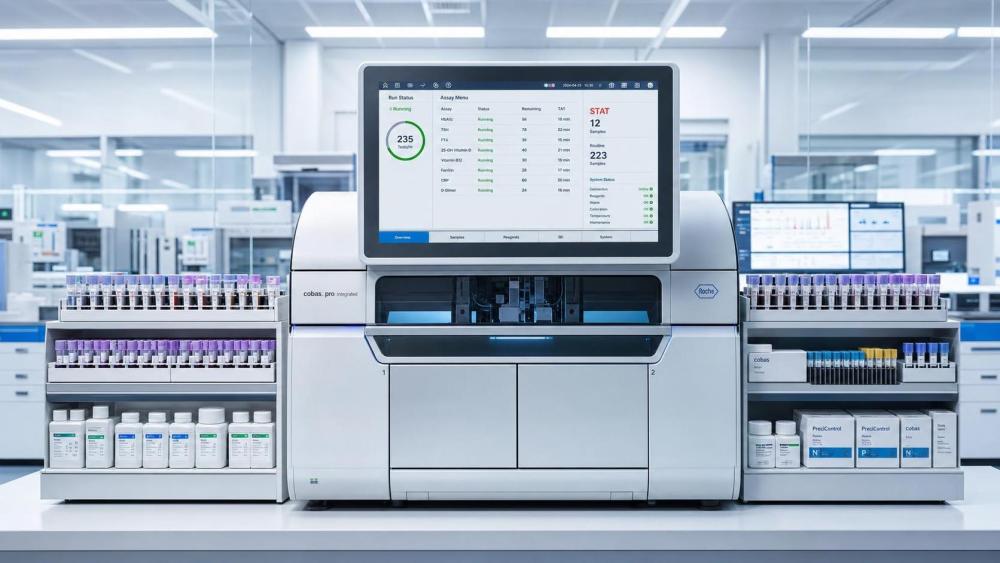
Separate claimed throughput from usable throughput
Every technical evaluation should distinguish between published instrument speed and throughput that remains achievable during normal operation. Usable throughput is affected by more than the assay engine. It depends on sample loading logic, rerun frequency, reagent replacement, calibration interruptions, maintenance steps, and whether mixed-assay runs reduce speed.
Ask the supplier to explain throughput under conditions that resemble your lab, not under isolated ideal settings. If the menu includes tests with different incubation times, pretreatment steps, or assay priorities, overall pace may be lower than the headline figure suggests. This is especially relevant when the instrument supports a broad menu but not all tests flow through the same process equally well.
A useful check is to request a run scenario: mixed routine samples, several STAT samples, one reagent replacement event, and at least one calibration or QC-related interruption. That reveals more than a single number on a specification sheet.
Check how the menu aligns with clinical demand, not just how many assays exist
A broad test menu is only valuable if it reduces workflow fragmentation or supports the services you actually provide. Some labs need menu depth in a narrow specialty area. Others need enough range to avoid sending routine tests to a second platform. The right question is not “How many assays are available?” but “Which assays can this system cover reliably within our operating model?”
Focus on these menu checks:
- Are your high-frequency assays available on the same platform, or will they still be split across instruments?
- Do low-volume but clinically important assays require separate modules, additional consumables, or different workflows?
- Can routine and specialty assays coexist without disrupting turnaround time?
- Is the menu stable in your target market, with the documents and labeling needed for the intended commercial or hospital use?
This last point matters more than many teams expect. Menu availability can vary by region, intended use, and local registration status. If you are evaluating for procurement, distribution, or cross-border supply, do not accept a global menu list as proof of local availability. Review the product documents tied to the specific market and intended assay configuration.
Look for hidden bottlenecks in sample and reagent handling
Throughput collapses in the small operational details. Sample racks, onboard capacity, reagent loading flexibility, continuous access, and barcode handling often matter as much as the core analytical speed. A technically fast system becomes slower in real use if operators must pause often to reload reagents, reorder racks, or manually resolve identification exceptions.
Pay attention to conditions that create stop-and-go behavior:
- Limited onboard reagent positions for your active menu
- Frequent lot change handling during busy shifts
- Separate preparation requirements for certain assays
- Restricted STAT insertion while routine batches are running
- Waste, wash, or consumable replacement intervals that interrupt peak processing
These are not minor operational details. They determine whether the instrument supports a smooth bench workflow or keeps pulling staff back into intervention mode.
Review turnaround time behavior, not just hourly capacity
For many technical teams, throughput gets discussed as a volume metric while clinical users care more about turnaround time. That gap can distort selection. An analyzer may support acceptable daily volume and still perform poorly where clinicians need fast release for emergency, ICU, or preoperative testing.
During evaluation, ask how the platform behaves in mixed-priority use. Can urgent samples enter immediately? Does STAT handling change the queue for routine work? Are there assay types that cannot be accelerated without affecting the rest of the bench? If a supplier only gives average processing claims, request the operating logic behind sample prioritization.
This is where many menu claims become less impressive. A large assay range can increase complexity if high-priority and low-priority tests compete for the same system resources.
Do not ignore calibration, QC, and maintenance overhead
Technical evaluators already know that analytical performance matters. The practical issue here is how quality procedures reduce effective throughput across the month, not just across a demonstration run. Some automated in vitro diagnostic equipment looks efficient until calibration frequency, control requirements, or downtime windows are added back into the schedule.
Check the operating burden around the assays you will actually use most. If a low-volume test requires disproportionate calibration or reagent management, it may be better kept off the main platform unless its clinical value justifies the disruption. The same applies when one assay family drives repeated QC events that affect a much broader menu.
A short technical review table can help keep the comparison disciplined:
Match the system to staffing reality
Some platforms are operationally efficient only when staffed by experienced users who can manage assay setup, exception handling, maintenance timing, and workflow balancing with minimal delay. That may work in a large reference laboratory. It may not work in a smaller hospital lab, a multi-shift environment, or a distributor-supported installation where training consistency varies across sites.
Ask how much operator input is needed during a normal day, during a reagent lot change, and during an abnormal event. If two systems appear similar on paper, the one with lower intervention demand often wins over time, especially where staffing pressure is already high.
Check software and connectivity where throughput is won or lost
Throughput is not just an analyzer property. It is also a data flow property. If sample IDs fail to map cleanly, test orders require manual correction, or result release gets delayed by middleware or LIS interaction, the instrument’s internal speed becomes less relevant.
For this reason, technical evaluation should include the software side of the menu. Review how assay setup, reflex logic, repeat testing rules, flags, and result transmission are managed. A broad menu with awkward configuration can create more exception handling than a slightly narrower menu with cleaner integration.
Use comparison scenarios instead of isolated specifications
The most reliable evaluation discussions happen when each supplier is measured against the same operating scenario. Build a few representative cases: a routine morning batch, a peak emergency period, a mixed specialty day, and a low-volume shift where efficiency still matters. Then compare how each platform handles menu coverage, interventions, queue behavior, and reporting timing.
That method usually exposes tradeoffs quickly. One instrument may offer stronger menu breadth but require more hands-on management. Another may be faster for core tests but depend on a second platform for less common assays. Neither is automatically better. The better choice is the one that creates the fewest workflow penalties for your testing profile.
A practical decision sequence for technical teams
If you need a disciplined way to close the evaluation, use this order. First, confirm the required assay menu for the intended site and market configuration. Next, test whether daily and peak workload can be handled under mixed real-world conditions. Then review the operating drag created by QC, calibration, reagent logistics, and sample prioritization. After that, check staffing fit and software integration.
By the time price discussions begin, the technical team should already know whether the platform can carry the lab’s real test mix without creating hidden delays or operator burden. That is the point of evaluating throughput and test menu together. In automated in vitro diagnostic equipment, the right system is rarely the one with the biggest number or the longest assay list. It is the one that keeps the lab moving under normal pressure, peak pressure, and the awkward conditions that brochures never show.
Have questions about the global trade trends discussed here, or planning your expansion and supply chain strategy? Leave a message below and let the trade experts at MTHH guide you.
We respect your privacy. Your information is strictly confidential.
Related News
- Abbott Launches Next-Generation Whole-Genome Sequencing Oncodetect MRD TestOct 27, 2026Explore Abbott’s Oncodetect MRD test, using whole-genome sequencing to track up to 5,000 ctDNA variants. Discover key clinical evidence and procurement considerations.
- SCIEX Starts Beijing Plant Project, Danaher's Tenth Manufacturing Site in ChinaOct 24, 2026SCIEX's Beijing plant project marks Danaher's tenth manufacturing site in China. Explore how its RMB 100 million-plus investment could strengthen local mass spectrometer supply.
- How laboratory workflow solutions reduce sample processing delaysOct 23, 2026Discover how laboratory workflow solutions reduce sample processing delays, improve tracking, and streamline reporting. Explore practical steps to cut waiting times without compromising quality.
- How to evaluate a web-based LIMS for lab instrument integrationOct 22, 2026Evaluate a web based LIMS for reliable lab instrument integration. Learn how to verify connectors, test failure recovery, and compare costs before choosing your system.